Build and Conquer Updates Hub
Track The Slop Company beta patches for Build and Conquer through the live V0.2 Naval wave.
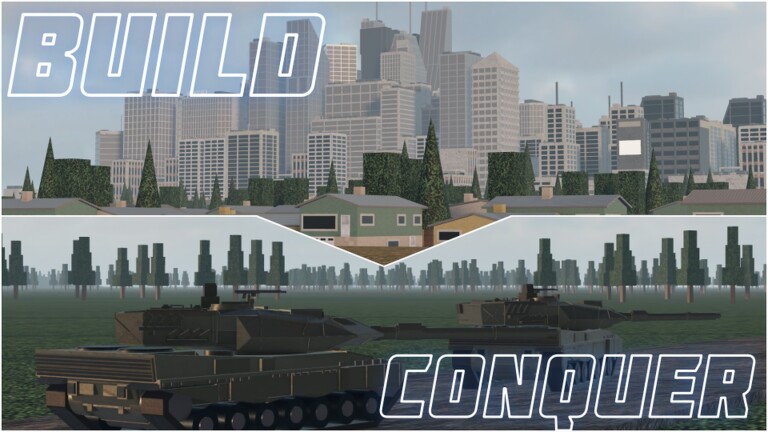
Build and Conquer is an active Roblox strategy beta by The Slop Company. The live client currently presents as [V0.2], continuing systems from the V0.1 wave (city level 5, drones, steel export, missile redesign) and adding the Naval systems covered on this wiki: ports, shipyards, warship classes, coastal missiles, and expanded air defense. This Updates Hub explains how to read patch cadence in a small-lobby (max eight players) economy wargame, what to re-check after every bump, and where detailed notes live. Pair it with Getting Started, Naval Ships, Air Defense, and the Missile Guide whenever numbers move.
Why beta cadence feels fast
Early-access Roblox strategy titles iterate on remotes, GUI labels, and economy constants without lengthy steam-style patch theaters. A Tuesday client can invalidate Auto Research paths described on the Scripts Hub or change how steel export interacts with mines graded on the Buildings Tier List. Treat every join screen version string as a signal: if it changed since your last session, play one manual round before re-enabling automation from Auto Farm or How to Execute.
Cadence is not a fixed weekly promise. Some weeks only fix soft locks; other drops retune population pressure around the 250 (city level 2) and 2,500 (city level 5) gates, or ship entire coastal loops. Hit-quest thresholds for SRBM / GLCM / MRBM / Hypersonic / Cluster (5 / 12 / 25 / 100 / 1,500) can also be tuned—always verify in-game rather than trusting memory.
What to audit after any update
- Population math — Does housing still move you cleanly toward 250 and 2,500? Recalculate with the City Planner.
- Research tree — New drone, naval, or missile nodes? Dead nodes removed?
- Export and steel — V0.1 added steel export identity; confirm button labels and ratios.
- Missile and AD panels — Ammo types, interceptor lists, and guidance changes after Naval physics notes.
- Ports and shipyard — Coastline buildings and hull queues on Naval Ships.
- Unit roster — Fresh drone frames, ships, or artillery on Players / Units.
- Scripts — Disable toggles until authors catch up; beta breaks farms often.
- Codes — Still none confirmed as of November 2026, but glance at Codes anyway.
Featured patch pages
- Update V0.2 Notes — Naval ports and ships, Military HQ level 4, new AA, interceptor guidance, server size 8.
- Update V0.1 Notes — Level 5 city progression, drones, steel export, missile rework lineage.
More patch files will land under this hub as The Slop Company ships named drops. Set featured on timely notes so they surface on the home page alongside guides.
How updates interact with meta pages
Tier lists on this wiki are stamped to community meta November 2026. When a patch lands:
- Re-read S-tier housing and AD assumptions on Buildings and Units & Missiles.
- Adjust recruit loops on the Players Hub.
- Recheck strike advice in the Missile Guide if Hypersonic or Cluster behavior changed.
- Skim Game Passes if Eastern / French equipment lists moved.
- Confirm you still launched the official place from the Links Hub—copycat experiences sometimes piggyback on patch hype with similar titles.
Practical habits for patch day
Join a low-stakes server, screenshot your city, and write down city level, population, unlocked missiles, hulls owned, and steel on hand. Play fifteen manual minutes. If UI paths match muscle memory, resume normal ops. If research or port names differ, update your personal checklist before teaching clanmates. Avoid downloading random hotfix scripts from chat; loader hygiene belongs on the execute guide, not panic Discord links.
Roadmap reading (unofficial)
The Slop Company may surface plans via group shoutouts or in-game banners. This fan wiki is not the roadmap owner. We translate public patch reality into playable advice: how city levels gate power, how drones changed scouting, how steel export reshaped industry priority, how the missile ladder teaches aim before Cluster saturation, and how the navy adds a coastal axis. When official channels publish clearer calendars, expect this hub to link them from the Links Hub rather than invent dates.
Related tools while you wait for notes
Use the Tools Hub for planners that survive minor patches, and keep promo expectations grounded on Codes. Progression fundamentals in Getting Started rarely vanish entirely even when balance swings. For Naval-era systems, keep Drones & Research nearby when grey research buttons appear.
Stay flexible. In Build and Conquer, the commanders who reread the version tag and re-verify hit quests outperform the commanders who assume yesterday’s Autobuild still knows today’s housing rules. Bookmark this Updates Hub, read V0.2 for the Naval wave, keep V0.1 for lineage, and treat the live client as a living battlefield—not a frozen spreadsheet.
Frequently Asked Questions
Quick answers to the most common questions.
What version is live right now?
The client presents as Build and Conquer [V0.2]. Read the V0.2 notes for Naval systems and the V0.1 notes for level 5, drones, steel export, and missile rework lineage.
How often does the beta update?
Cadence varies. Expect intermittent balance and feature drops rather than a guaranteed weekly show. Always check the in-game version string when you join.
Should I run scripts on patch day?
Not immediately. Play a manual session first, then update scripts from trusted channels. Beta patches commonly break Auto Research, Auto Build, and new port remotes.
Where are detailed Naval / V0.2 notes?
Open Update V0.2 Notes from this hub for ports, ships, Military HQ, and new air defense coverage.